Coming Soon - Join the Waitlist

Silent Communication for Tech Teams

Keep your production crew connected without disrupting the event. Real-time messaging designed for FOH, Livestream, and tech teams working live events.

Currently testing with church tech teams - get notified when we launch
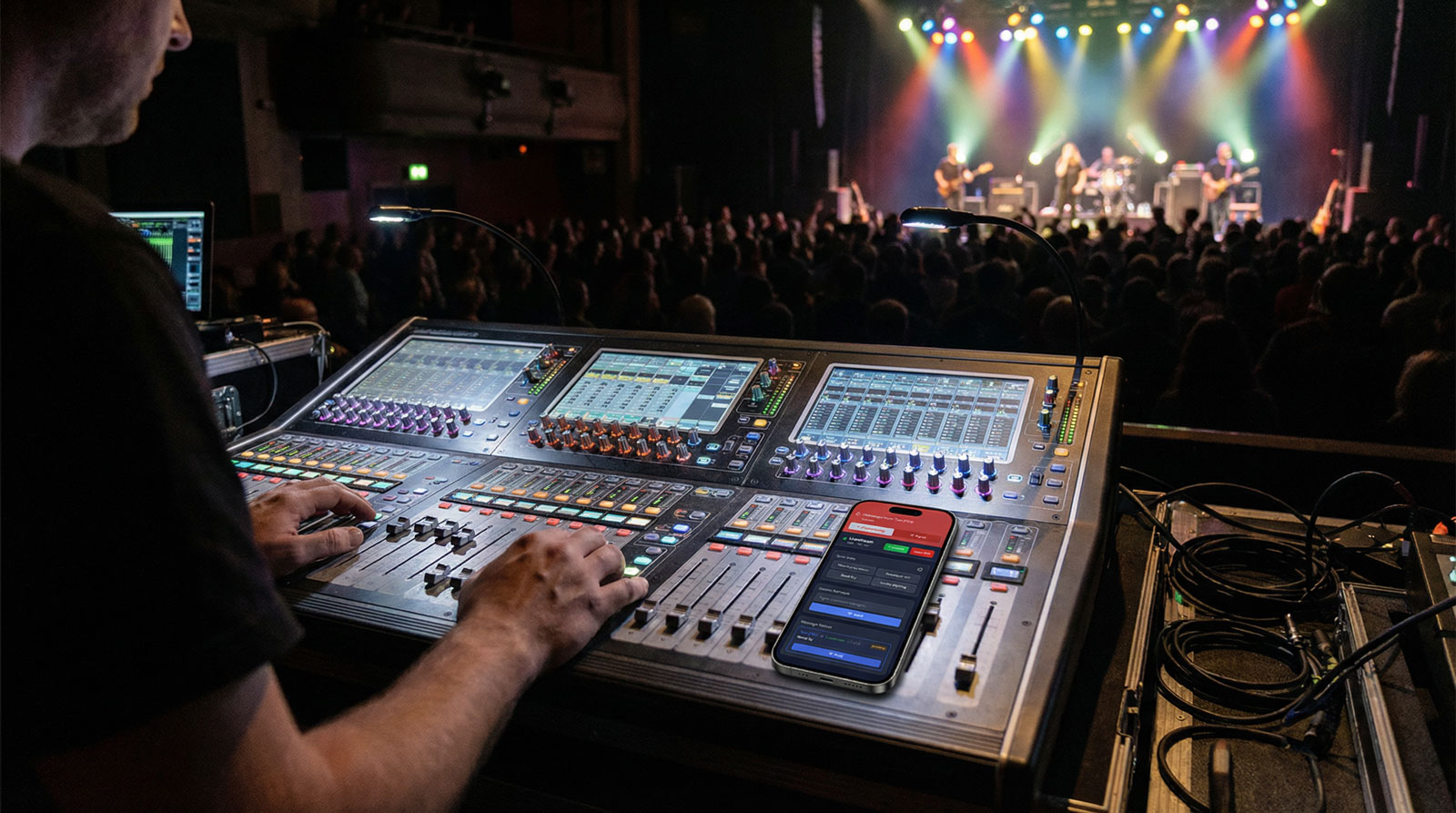
CrewComm App Interface

Stop Disrupting Your Events

Tech teams face unique communication challenges during live events. CrewComm solves them.

The Problem

Walking across the venue to communicate disrupts workflow and attention

Verbal communication can be heard by the audience or recorded in livestreams

Personal messaging apps mix work with personal conversations

Critical messages get lost in group chats or wrong channels

The Solution

Instant silent messaging from any position - stay focused on your role

Completely silent coordination - zero audio bleed or distraction

Dedicated workspace separated from personal life and distractions

Session-based communication keeps your whole team coordinated and on-topic

Built for Live Event Teams

Everything you need to coordinate seamlessly during live productions

Real-Time Messaging

Instant communication powered by Firebase. Messages appear instantly across all devices with zero lag.

Shared Team Sessions

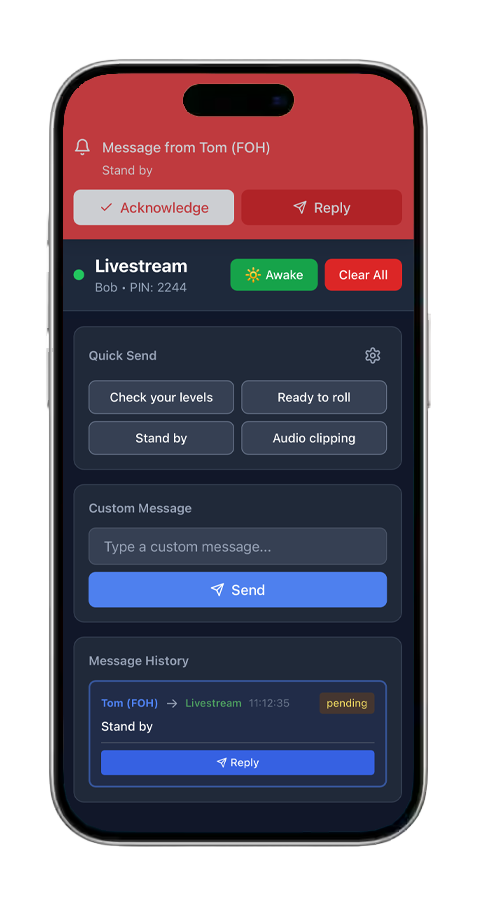
Everyone in a session can communicate together. FOH, Livestream, and Production all coordinate in the same space - no messages get missed.

Mobile & Desktop Ready

Works seamlessly on phones, tablets, and computers. Use whatever device fits your workflow.

Secure & Private

Firebase authentication and security rules keep your team communications private and protected.

Lightning Fast Setup

Create your workspace and invite your team in minutes. No complex configuration or IT support needed.

Dark Mode Design

Built for low-light environments. Easy on the eyes during long events without screen glare.

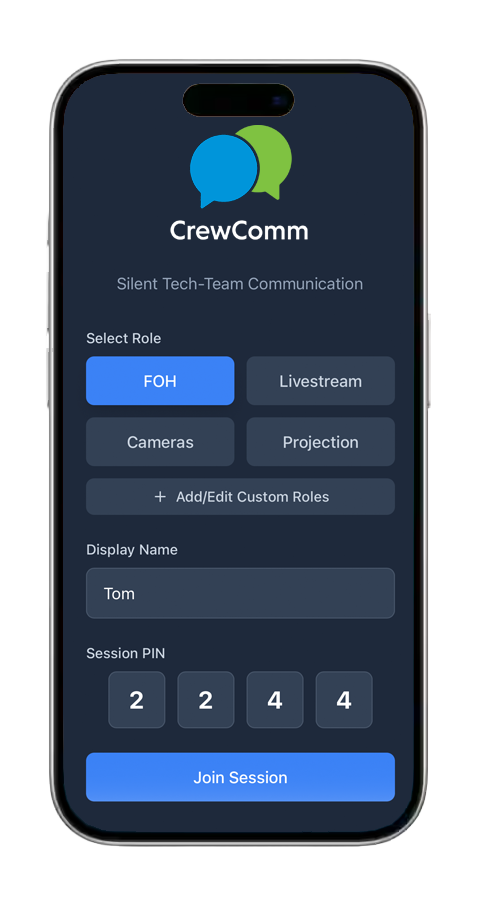
CrewLink App Interface

Team Communication

CrewLink Session View

Session Communication

Get Started in 3 Simple Steps

From signup to your first message in minutes

1

Create Your Account

Sign up and create an account for your organization. Choose a plan that fits your team size and event needs.

2

Start a Session

Create a session for your event. Team members join using a simple PIN and select their role (FOH, Livestream, Production, etc.).

3

Start Communicating

Begin messaging in real-time. Silent, organized communication during your next live event.

Join the Waitlist

Be among the first to experience CrewComm when we launch. Get exclusive early access and special launch pricing.

We respect your privacy. Your information will only be used to contact you about CrewComm.

Simple, Transparent Pricing

Affordable plans for teams of all sizes

Free

$0 /forever

Perfect for trying CrewComm

  • Up to 2 team members
  • 1 concurrent session
  • Real-time messaging
  • Basic support
Most Popular

Team

$15 /month

Ideal for growing event teams

  • Up to 15 team members
  • 3 concurrent sessions
  • Message history
  • Priority support

Pro

$35 /month

For large venues and production companies

  • Unlimited team members
  • Unlimited concurrent sessions
  • Advanced analytics
  • Dedicated support

Early Feedback from Beta Testers

Hear from church tech teams currently testing CrewComm

"Game changer for our church tech team. We can coordinate between FOH and livestream without any disruption to the service."

Sarah Johnson

Tech Director, Community Church

"The session-based approach is perfect. Our entire crew can coordinate together in real-time, whether it's lighting, sound, or livestream."

Michael Chen

Production Manager, Grand Theatre

"Simple, fast, and exactly what we needed. No more walking backstage during shows. Our crew loves it."

Emily Rodriguez

Technical Lead, Live Events Pro

Frequently Asked Questions

What makes CrewComm different from other messaging apps?

CrewComm is purpose-built for live event tech teams. Unlike general messaging apps, we focus on silent coordination with session-based communication where your entire crew can coordinate together in real-time. Plus, fast PIN-based access and a dark mode interface perfect for low-light production environments.

Do I need to install any software?

No installation required. CrewComm is a web-based application that works in any modern browser on phones, tablets, and computers. Just visit the URL and sign in.

How reliable is the real-time messaging?

CrewComm is powered by Firebase, Google's real-time database platform used by millions of apps worldwide. Messages are delivered instantly with enterprise-grade reliability and security.

Can I try CrewComm before committing to a paid plan?

Absolutely. Our Free plan supports up to 2 team members with 1 concurrent session and includes all core messaging features. You can also start a free trial of our Team or Pro plans.

What types of venues use CrewComm?

Churches, theaters, concert venues, convention centers, production companies, and any organization running live events with technical teams. If you need silent crew communication during events, CrewComm is for you.

Is my team's data secure?

Yes. CrewComm uses Firebase Authentication and Security Rules to protect your data. All communications are encrypted in transit, and access is restricted to authorized team members only.

How do sessions work?

A session is a shared communication space for your event. Create a session, share the PIN with your crew, and everyone joins and selects their role (FOH, Livestream, Production, etc.). All team members in the session can see and respond to all messages - perfect for coordinating complex events. Need to run multiple crews? Paid plans let you run multiple concurrent sessions - for example, your sound crew on one session and camera crew on another at the same event.

Can I cancel or change my plan anytime?

Yes. You can upgrade, downgrade, or cancel your subscription at any time. Changes take effect at the start of your next billing cycle.

Ready to Transform Your Team Communication?

Join the waitlist and be among the first to experience silent crew coordination

Limited spots available for early access beta testing